.svg)
.svg)
.svg)
How To: Create Group Coaching

Every manager knows coaching drives revenue. The problem is time: with a full team and a full calendar, there's only so much room for 1:1s. And some things don't need a 1:1 anyway — a shared objection, a process change, a skill gap showing up across three reps. Coach those one person at a time and you end up having the same talk five times.
That's the gap Ambition's Group Check-Ins close. They're 1-to-many coaching: recurring, auto-generated conversations between a manager and a group, built the same way a 1:1 is, just sized for a room instead of one rep. A sales team meeting weekly to review last week's results, talk through current opportunities, and surface what's getting in the way is the standard shape. And instead of someone rebuilding that agenda from scratch every Tuesday, Ambition generates it automatically, occurrence after occurrence.
Ambition's Group Session builder is designed so you're never staring at a blank form wondering where to start. Here's how to create one, step by step.
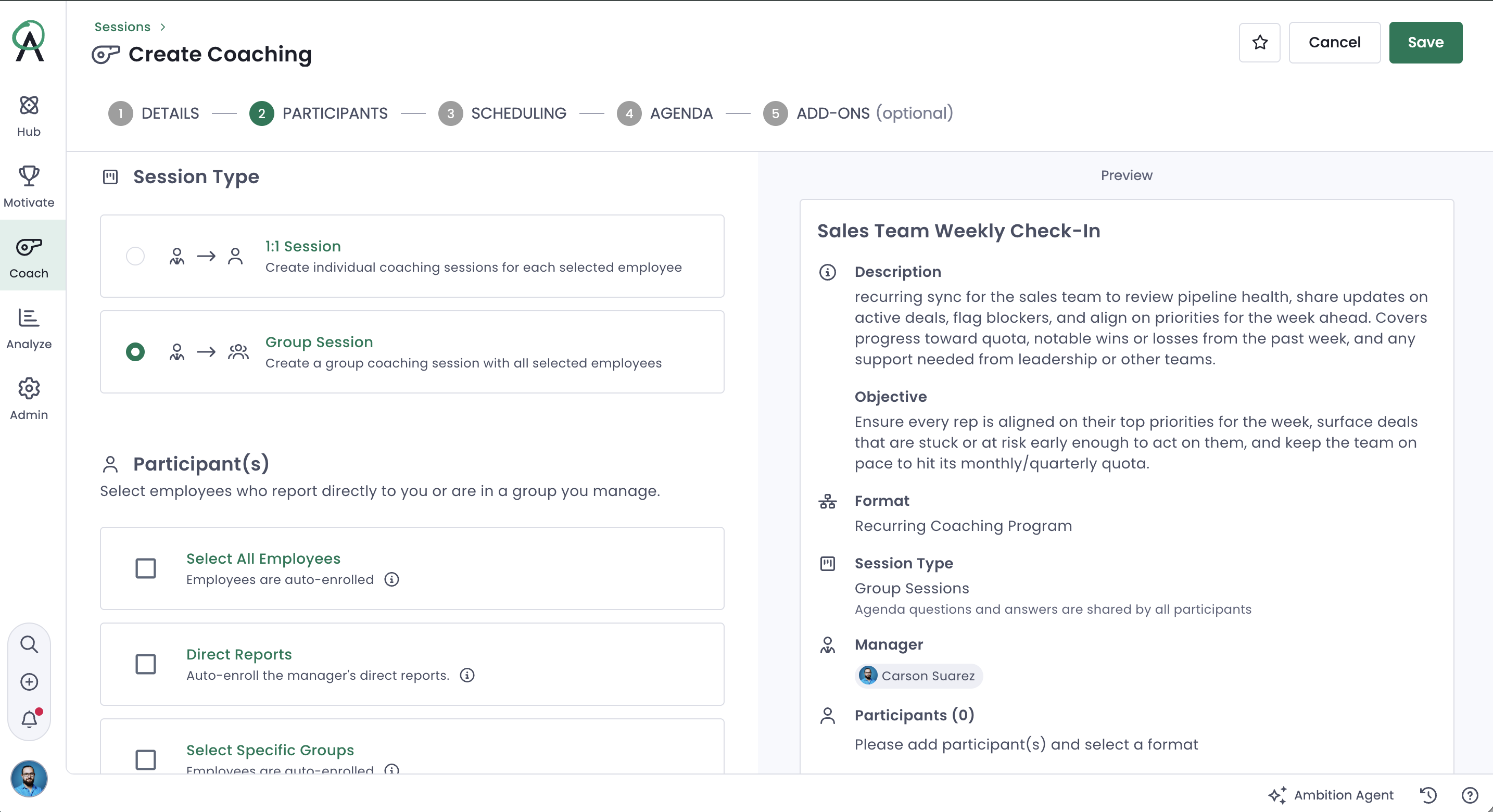
1. Create a new Group Session
Same entry points as any coaching session inside Ambition. From a coaching dashboard, click + Create Coaching → Group Session. Or from anywhere in the platform, Quick Create → Coaching lands you in the same builder in two clicks. Use whichever's closest to what you already have open.
2. Name it and give it a purpose
Name and Description are required; Objective is optional. The name is what shows up everywhere — every recurrence, every dashboard — so "Sales Team Weekly Check-In" sets the stage in a way "Team Meeting" never will. The description appears on the summary page and inside every occurrence, so it's the line that tells someone what this recurring conversation is actually for before they open it. Objective is where you capture what the series is building toward, if there's something specific, and is still there weeks later when you've forgotten the details.
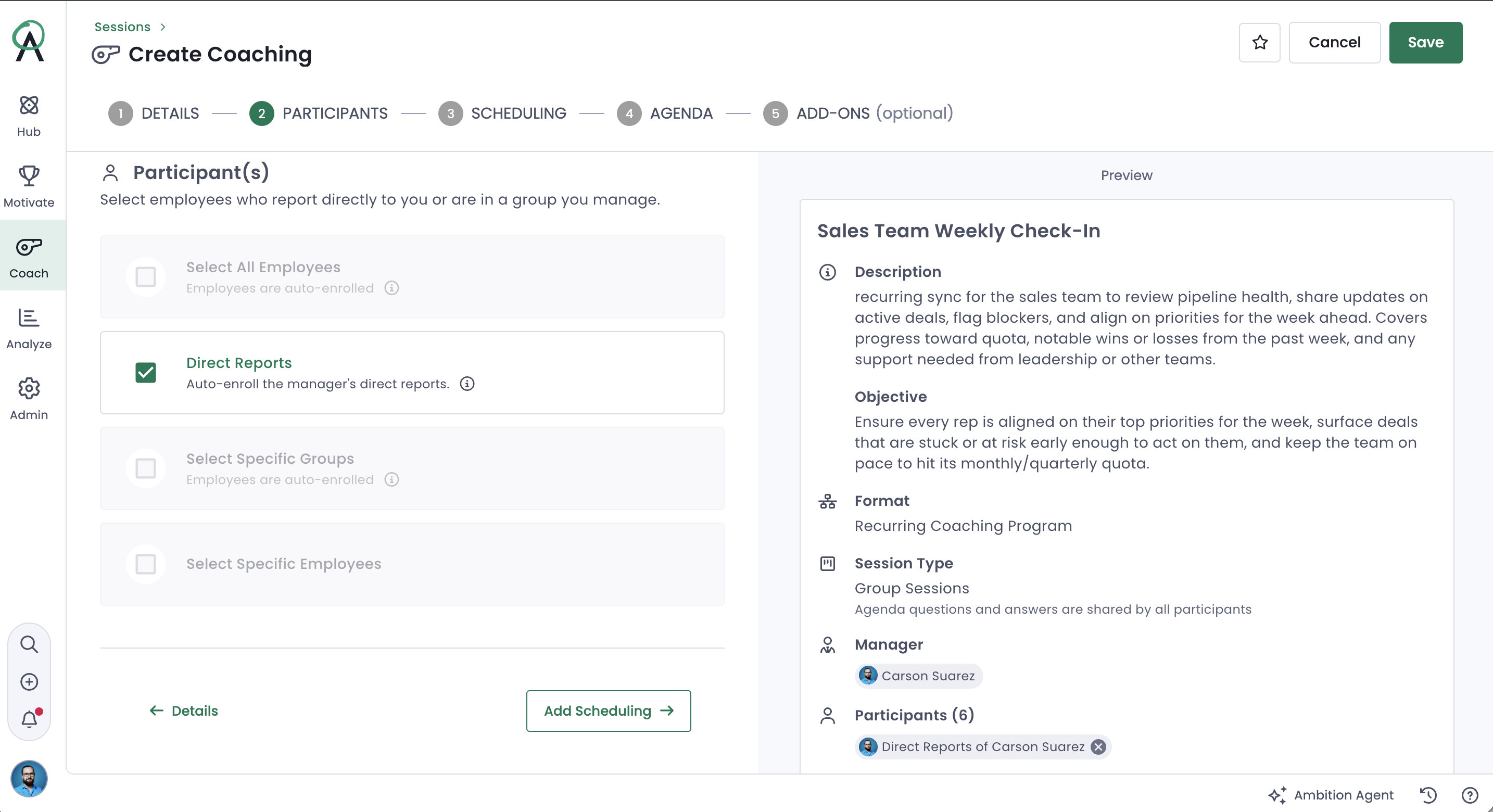
3. Choose your participants
Select Group Session. Add people individually, or bring in your whole team at once — useful when a check-in is meant for an entire department rather than a hand-picked list. This is also where a group check-in starts to look different from a 1:1: you're not coaching one rep's number, you're aligning a room around what's shared.
4. Set the schedule and the access window
Group check-ins are built recurring: daily, weekly, monthly, or annually, same as a standing 1:1. The access window is where it diverges. You and any co-coaches can open the agenda and start shaping it days ahead of the meeting; participants don't get in until 24 hours before the scheduled start. That gap is deliberate — it gives you time to get the agenda right before the group ever sees it, then gives participants just enough runway to show up prepared instead of encountering a blank agenda mid-meeting.
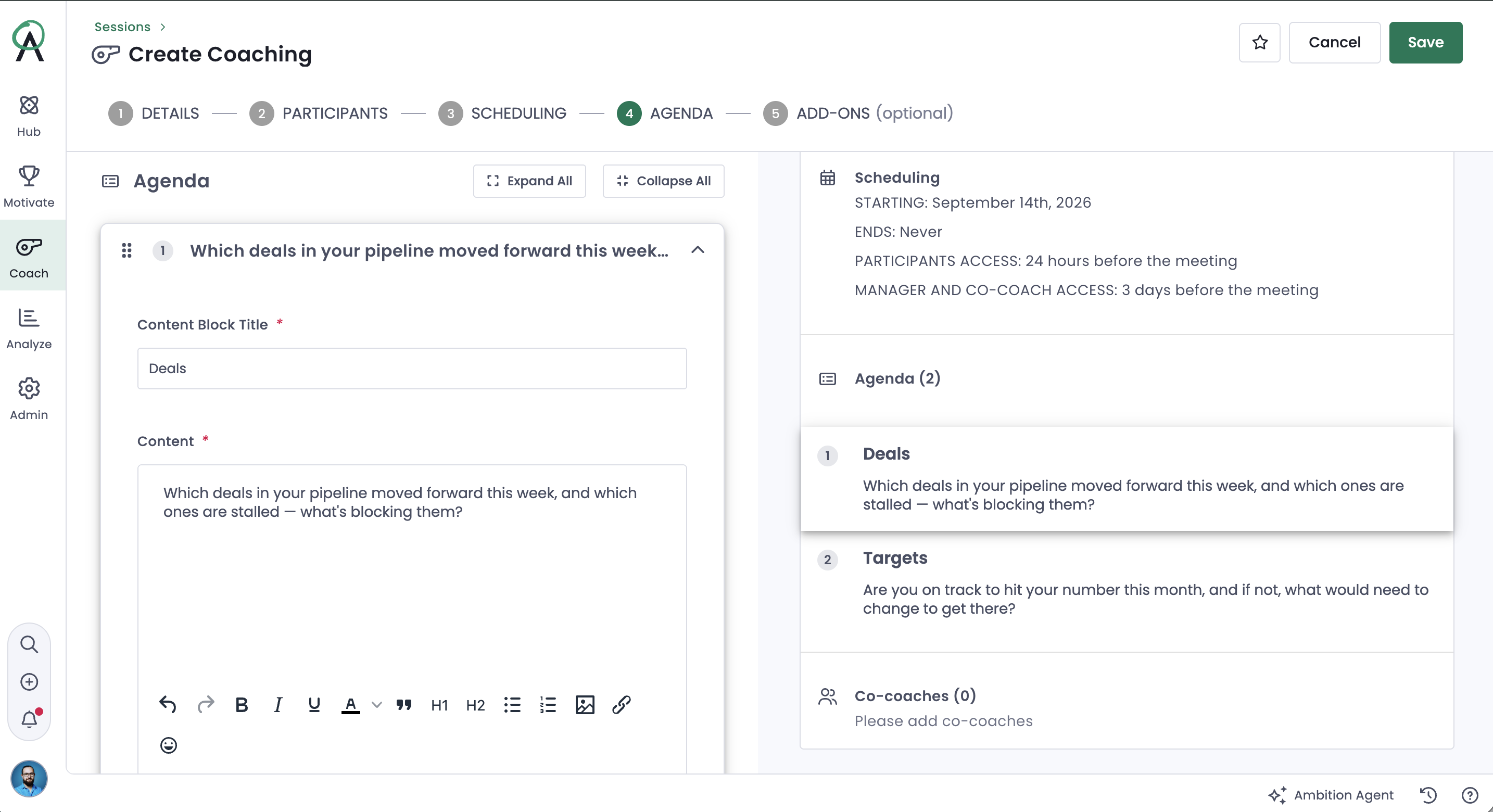
5. Build the agenda
Start from a template if your team already has one — it keeps a Tuesday pipeline review looking like a Tuesday pipeline review no matter who's running it. Building from scratch, you've got a Content Block (a rich text editor for context, company updates, or links) and Embed Media (for pulling outside content directly into the agenda). At least one agenda item is required to save it; a check-in with nothing on it isn't a check-in, it's a calendar hold.
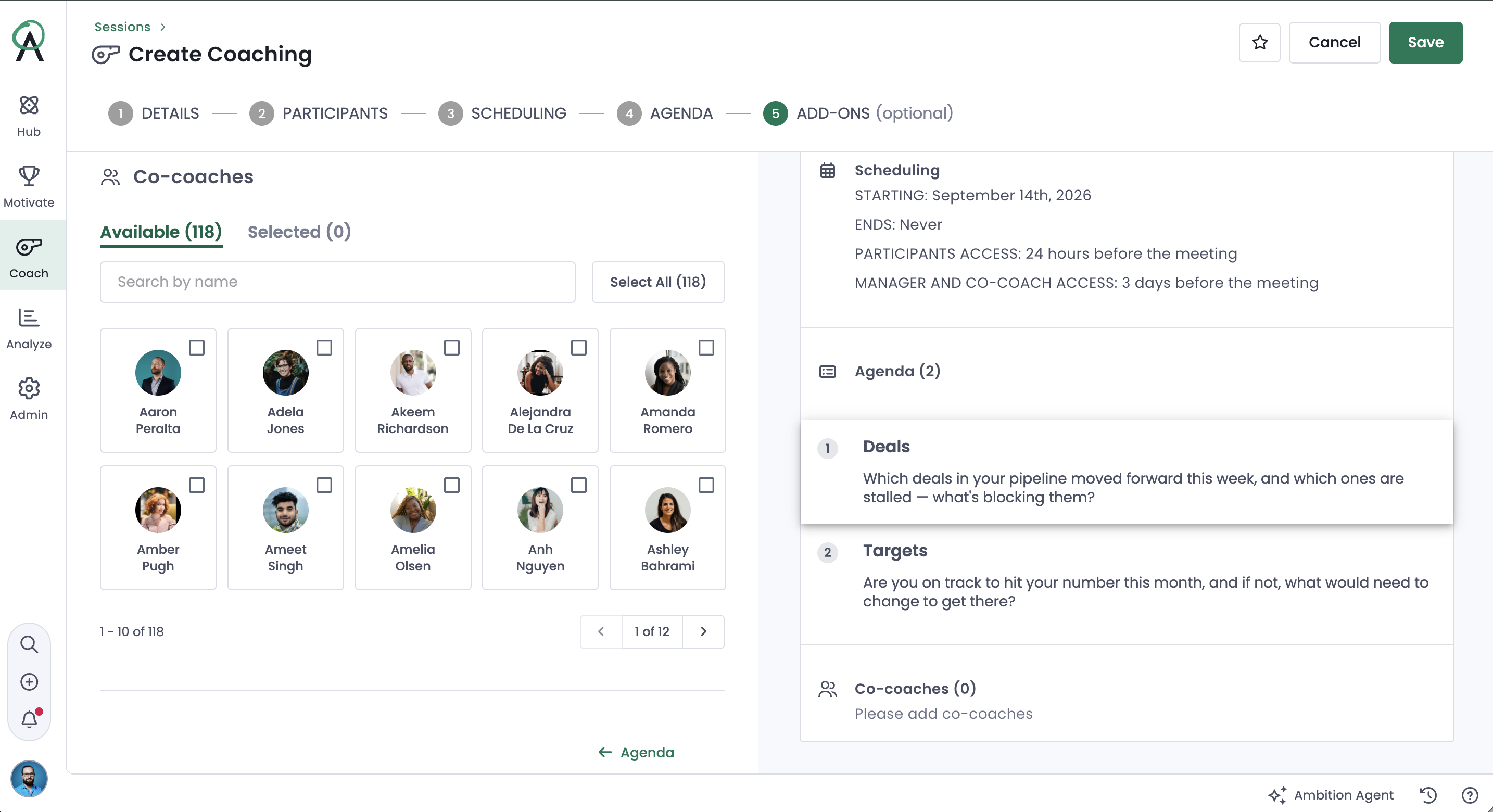
6. Add a co-coach, if this one isn't just you
Add-ons are worth a look anytime someone besides you needs a hand running the room like a peer manager splitting facilitation or someone covering while you're out. Once the feature's enabled, co-coaches get the same visibility and the same access you do, regardless of their standard permission level. They're part of the record from the start, not looped in after the fact.
7. Save it
Creating a group check-in takes either Coaching: Create Group Check-In permission (for yourself and your direct reports) or Coaching: All Access (for anyone in the org). Once it's saved, participants get a Group Check-In Opened notification when their access window starts; you and any co-coaches get Group Check-In Scheduled — both configurable in individual notification settings. From there, the check-in runs itself: each occurrence generates automatically, and the meeting marks itself completed 24 hours after its scheduled start, so nothing sits open on a dashboard past its moment.
The takeaway
A group check-in isn't a 1:1 with more names added to the invite — it's built for the coaching that only makes sense in a room: the shared objection, the process everyone needs to hear the same way, the weekly rhythm a whole team can be held to at once. Set the recurrence and the agenda up right once, and every occurrence after the first runs on the structure you already built — the same payoff as a well-built 1:1, just multiplied across everyone in the room.
See the system in action
Insights for high-achieving sales teams
.png)

.png)

Stop chasing targets, start predicting revenue
Transform your revenue org into a high-performing growth engine with structured insights, top-down visibility, and built-in consistency.
%20(1).png)
.svg)
.svg)